
Give a lot of credit to INE & Roger Perkin for helping me:
http://blog.ine.com/2013/04/15/installing-the-cloud-services-router-1000v-in-esxi-5-1/
http://labs.ine.com/workbook/view/rs-v5-workbook/task/ines-ccie-r-s-v5-hardware-topology-MjU1NA%3D%3D
http://www.rogerperkin.co.uk/ccie/ccie-virtual-rack-csr-1000v-routers/
I followed the recommendations but here’s some hints/tricks that helped me along the way as I setup my own lab equipment:
I used a Cisco C240 rack server (2609 CPU, 128GB RAM) – installed ESXi 5.5 and then downloaded the free/eval CSR 1000v (16.3.5) from here.
For anyone that wants the exact C240 build – I can share an estimate with them in CCW.
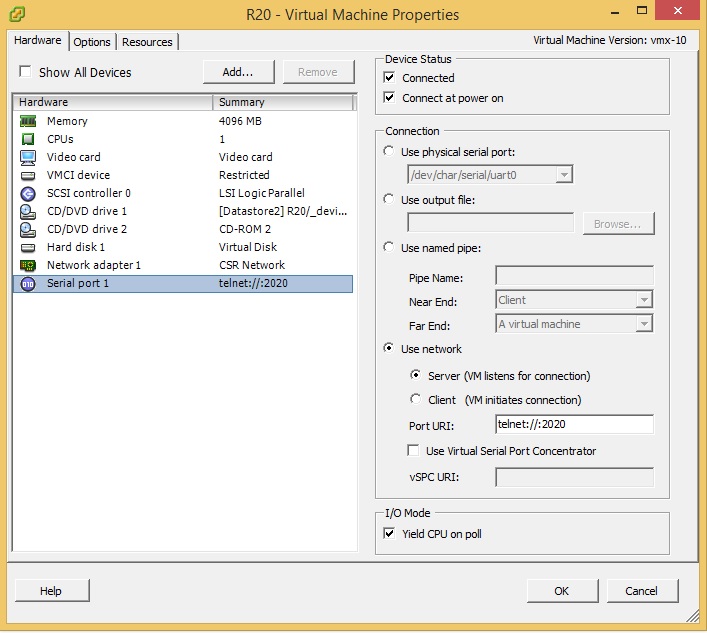
Once you deploy a CSR 1000v router – in order to get the serial console to show the output, I had to type “platform console serial” and then I was able to use my SSH client instead of using the VM console within VMware – following the directions above to pipe the telnet output to the network/IP of ESXi and the appropriately chosen port number.
I then created a 2nd vswitch1 – specifically for the CSR’s – and placed Network Adapter 1 of each CSR into the CSR Network. The CSR network also was assigned VMNIC1 – which is the physical port on my C240 that connects/trunks to gi0/1 of physical SW1 – with gi0/1 setup as a trunk port and nonegotiate in order to get trunking working between the 4 physical switches and C240 server. Also on this vswitch1, I had to edit the vswitch1 properties, by allowing all VLAN’s as by default it was set None (0). Edit the VM Network configuration, VLAN ID and set to All (4095).
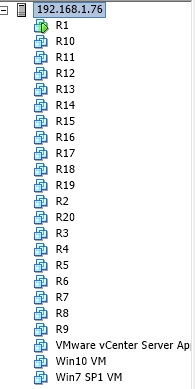
I left the VM Network as is – and placed my Win 7, Win 10, and VCSA on this vswitch0 with vmnic0 connected to my external network – that way I could easily RDP into a jump box and immediately start to lab and not worry about what device I had to use – all I needed was RDP and I was good to go.
With ESXi 5.5 – I used vCenter Server Appliance – free download – you can get the eval license keys from the VMware portal. vCenter Server Appliance is required in order to add/edit the serial port as you are not able to use the vCenter client to “edit settings” to get to the VM properties due to the VM’s being version 10 or higher. You can manipulate the vmx files to downgrade to VM version 9 but I just went the easier route of spinning up the vCenter Server Appliance.
I’m using 4 Catalyst 3560-X physical switches – didn’t need POE or many ports to the WS-C3560X-24T worked great and you are able to get eval IP Services licensing here for testing any/all switching features.
Happy studying!
 padawanccie