
WOOHOO!!!
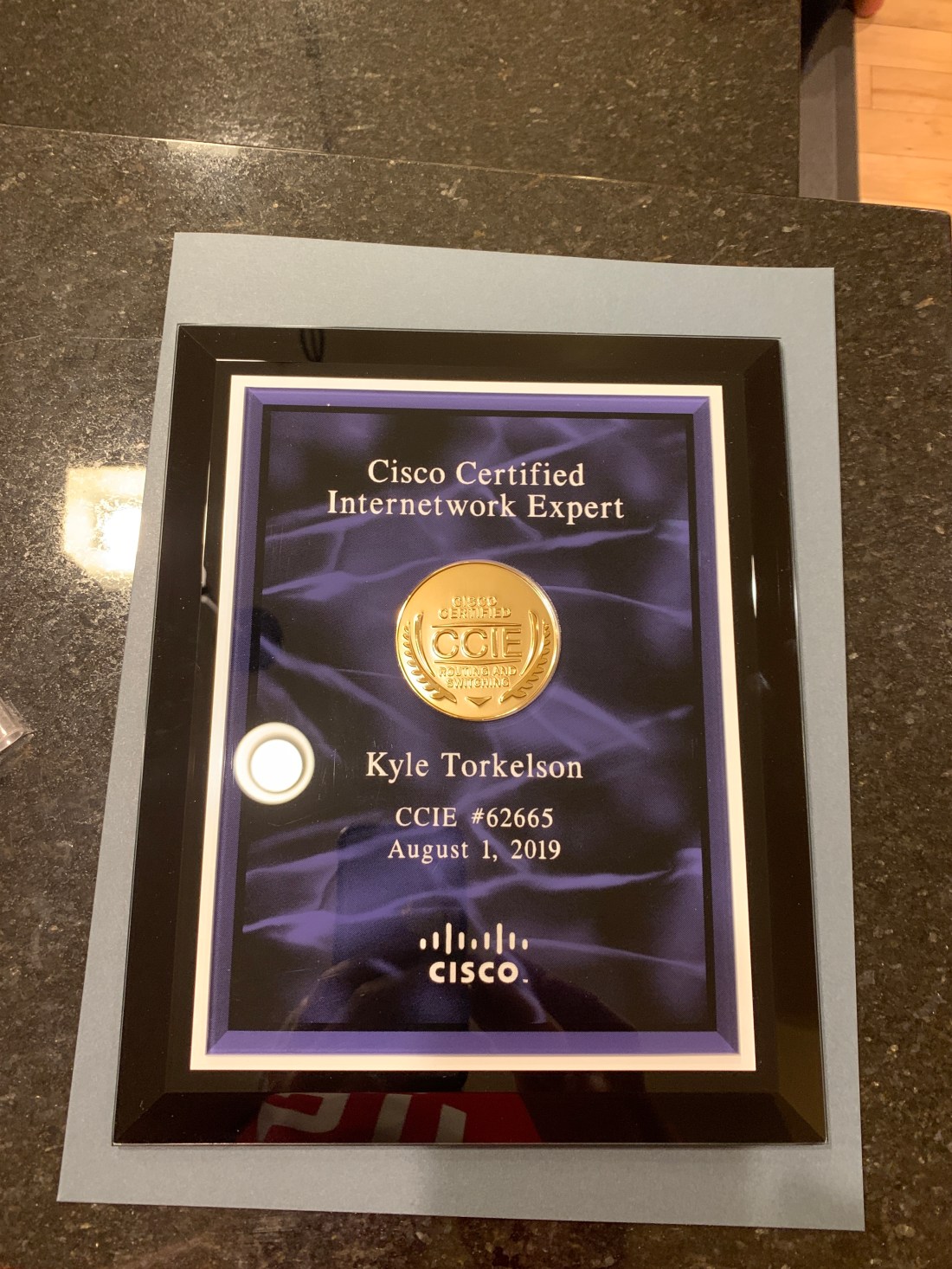
WOOHOO!!!
I read once from a wise person that one should wear their failures on their sleeve as badges of honor. I urge everyone to not be afraid and to embrace failure as a learning experience. Through it all, this was probably one of the most difficult lessons I have learned in my lifetime as nobody likes or wants to fail. Through the ups and downs – over the past 5 years – I have finally achieved my goal of CCIE status – CCIE #62665. It took me 4 times to pass the CCIE written exam (2 passes over 3+ years) and 8 times to pass the CCIE lab exam (yes, that’s right, 8 times with each attempt having different pass/fail sections). After each attempt, there was a gut check moment of whether or not I was going to pursue and persevere or to give up and quit. This was the best and worst experience I have ever gone through. However, in the process of setting a goal, persevering towards that goal, and ultimately achieving that goal, I can honestly say that I am always open to a conversation with anyone that is pursuing a dream and wants advice no matter where they are in the process.
With that said, throughout my CCIE certification attempts and ultimate success – I would like to thank the following people that have helped me throughout this journey:
Jesus my Lord and Savior – who deserves ALL of the glory and credit – for which nothing is possible without Him.
My wife Amy – for the years, months, days, hours & minutes of sacrifice and standing with me throughout this process – your support was unwavering even in the toughest of times – knowing how much cost and sacrifice it was to you and our family for me to pursue a CCIE certification.
My three boys Teake, Trygg & Tayne – for their sacrifice of time with me when all they wanted from Daddy is to go play – I’m ready to play now as I have a lot of time to make up.
Jered Schock, Ian Banks & Phil Ellerbroek – for partnering with me through this journey as we worked together as a South Dakota team – I owe you for all you lifted off my plate so I could pursue this certification.
Mark Meissner, Darrin Hanson, Eric Zolnosky, Merrill Wolf & Chris Sipe – for all of the support and encouragement throughout my journey – to have managers such as yourselves was truly a blessing. There are so many things to do (with never enough time!) in the work world. You can get tugged and pulled in so many different directions – thanks for helping me with dedicated time and focus on the end goal.
Bill Bartell – I learned for 15 years (prior to joining Cisco as a Systems Engineer) all about the customer’s perspective and how to treat people and end users with a servant attitude in the world of Information Technology. For this I am truly blessed to have gained this experience and I would not be where I am at today if it weren’t for Bill and my USF coworkers and family. It was very difficult to leave people and a place that I hold so close to my heart.
Brian Brenner – for pushing me at First PREMIER into the CCNA/CCNP certifications – and to go to Cisco and take a risk when the opportunity arose – I still remember you telling me over lunch that this was a once in a lifetime opportunity.
Jeff Peterson, Shane Olean & Steve John – for the inspiration and fire that was ignited in me 15 years ago as a Cisco customer. I look up to all three of you and began to have aspirations that someday I could pursue a CCIE certification.
Mohamed Nidhal Beyrem Jaziri – for your friendship, support, and online bootcamps with configuration & troubleshooting labs/scenarios – you helped me master the art/science of troubleshooting in more ways than I ever knew possible. Thank you for pushing me past my comfort level and thank you for supporting and ultimately helping me to pass the exam.
Benjamin Gamble, Sam Howard, Andy Erickson, Marcus Jensen, Jason Flippin, Aric Blom, MarcCharles Zautke, Jason Valdez, Eric Barner, Brian Peterson, Matt Erickson, Tim Roth & Dustin Beare – you all kept encouraging and pumping me up even during the lowest of lows – you have no idea how that impacted me!
Nate Blaylock, Jared Berg, Dan Youtzy & Dusty Hoffman – thanks for being my life group guys and for living life together with us and our families!
Jason VanRuler – your friendship & advice have been so valuable throughout this process – thank you!
My Mom and Dad – for everything you have done for me – I wouldn’t be the person I am today if it weren’t for you.
Sandy Johnson – thank you for the support, encouragement and for watching the boys when I had to take the trips for each lab exam attempt!
Lee & Tracy Johnson – thank you for encouraging me and checking in during the process to see how it was going!
My sisters and their husbands, Beth & John Elam and Megan and Marc Klima and my brother-in-law Jeff Johnson – thank you for supporting and encouraging me throughout this process!
For anyone interested in pursuing a CCIE certification – always remember to wear your failures as a badge of honor. I urge you to press on and pursue further – always making sure to have complete family and friend support beforehand– because there are sacrifices and experiences that potentially can affect your journey. If I can help anyone in any way, the offer is always there.
Kyle Torkelson
(Always a Padawan) CCIE #62665


Working through INE labs DMVPN phases – as a reminder:
DMVPN w/ OSPF –
Phase 1 – On Hub change Tunnel Interface network type to point-to-multipoint and either Hub or Spoke OSPF hello timers to match.
Phase 2 – On Hub & Spokes – change network type to broadcast or non-broadcast and change priorities so Hub is always DR and Spokes are never DR in order to not allow changes to next-hop value. If non-broadcast, on Hub set ospf neighbors manually.
DMVPN w/ EIGRP –
Phase 1 – disable split horizon under either tunnel interface or af-interface tunnel.
Phase 2 – issue no ip next-hop-self eigrp under tunnel or no next-hop-self under af-interface tunnel.
Phase 3 – ip nhrp redirect on Hub and ip nhrp shortcut on Spokes.
Been working through IP Multicast Routing on INE ATC video on demand section – I was trying to come up with acronyms in order to easily remember (S,G) and (*,G) and the shortest path tree vs. shared tree.
For (S,G) entries – these are the Source/Sender of the multicast packets and the Multicast Group destination. The RP builds the shortest path tree (SPT) from the Source to the RP.
For (*,G) entries – these are the Receiver/Join of the multicast packets and the Multicast Group destination. The RP builds the shared tree (RPT) from the RP to the Receiver(s).
S = Source/Sender – easy to remember – and we need to build the shortest path from the sender to the receiver.
* = Receiver (and since we’re coming off the Christmas season, the “Star” represents the destination of Bethlehem – where Jesus was born – and since I’m a born again Christian – I know I have to “receive” Jesus in order to be saved and I need to “share” my faith and the story.) Therefore, the Receiver is part of building the “shared” tree from the Receiver to the RP.
Lastly, the RP merges the shortest path tree and the shared tree in order to connect the Sender & Receiver. The RP may or may not be in the data plane path – depending on the topology of the network and the loop free path taken from the Sender to Receiver.
Also adding – if you are only building the shortest path tree and there is no mention of a shared tree – then use Dense or Sparse-Dense mode and no configuration of an RP is required. Dense or Sparse-Dense mode limits you to building either a source-based distribution tree or a shortest path tree.
Sparse mode builds both a shared multicast distribution tree and a source based distribution tree.
Dense uses flood & prune mechanism, Sparse saves bandwidth by only connecting sender to the receiver.
That’s my $0.02 for today – no apologies from me for inserting my faith into my CCIE studies – I know my faith can only help me on this journey.
Give a lot of credit to INE & Roger Perkin for helping me:
http://blog.ine.com/2013/04/15/installing-the-cloud-services-router-1000v-in-esxi-5-1/
http://labs.ine.com/workbook/view/rs-v5-workbook/task/ines-ccie-r-s-v5-hardware-topology-MjU1NA%3D%3D
http://www.rogerperkin.co.uk/ccie/ccie-virtual-rack-csr-1000v-routers/
I followed the recommendations but here’s some hints/tricks that helped me along the way as I setup my own lab equipment:
I used a Cisco C240 rack server (2609 CPU, 128GB RAM) – installed ESXi 5.5 and then downloaded the free/eval CSR 1000v (16.3.5) from here.
For anyone that wants the exact C240 build – I can share an estimate with them in CCW.
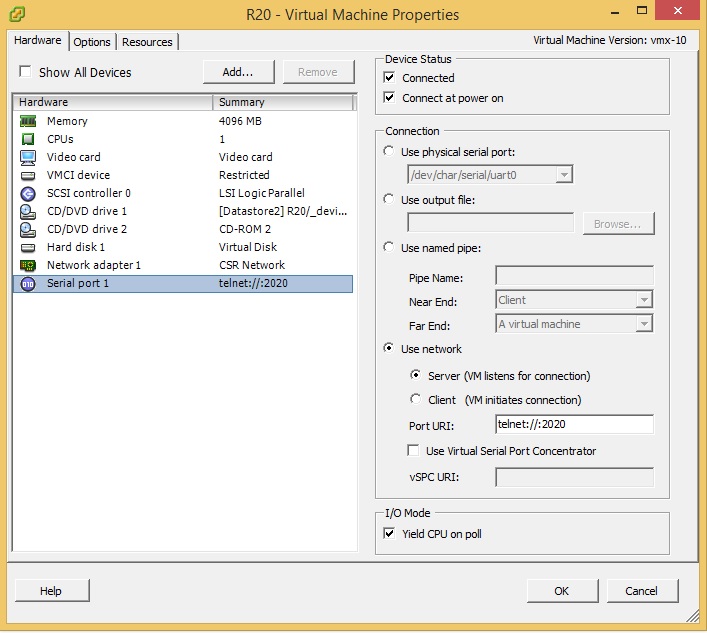
Once you deploy a CSR 1000v router – in order to get the serial console to show the output, I had to type “platform console serial” and then I was able to use my SSH client instead of using the VM console within VMware – following the directions above to pipe the telnet output to the network/IP of ESXi and the appropriately chosen port number.
I then created a 2nd vswitch1 – specifically for the CSR’s – and placed Network Adapter 1 of each CSR into the CSR Network. The CSR network also was assigned VMNIC1 – which is the physical port on my C240 that connects/trunks to gi0/1 of physical SW1 – with gi0/1 setup as a trunk port and nonegotiate in order to get trunking working between the 4 physical switches and C240 server. Also on this vswitch1, I had to edit the vswitch1 properties, by allowing all VLAN’s as by default it was set None (0). Edit the VM Network configuration, VLAN ID and set to All (4095).
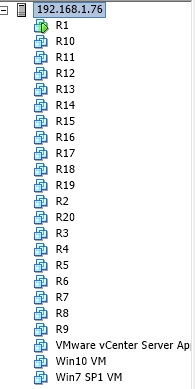
I left the VM Network as is – and placed my Win 7, Win 10, and VCSA on this vswitch0 with vmnic0 connected to my external network – that way I could easily RDP into a jump box and immediately start to lab and not worry about what device I had to use – all I needed was RDP and I was good to go.
With ESXi 5.5 – I used vCenter Server Appliance – free download – you can get the eval license keys from the VMware portal. vCenter Server Appliance is required in order to add/edit the serial port as you are not able to use the vCenter client to “edit settings” to get to the VM properties due to the VM’s being version 10 or higher. You can manipulate the vmx files to downgrade to VM version 9 but I just went the easier route of spinning up the vCenter Server Appliance.
I’m using 4 Catalyst 3560-X physical switches – didn’t need POE or many ports to the WS-C3560X-24T worked great and you are able to get eval IP Services licensing here for testing any/all switching features.
Happy studying!
Welcome to my first blog! I’m a guy from South Dakota trying to help others in Sioux Falls or South Dakota or anywhere for that matter pursue a journey towards Cisco & CCNA/CCNP/CCIE R/S Certification (myself included!)
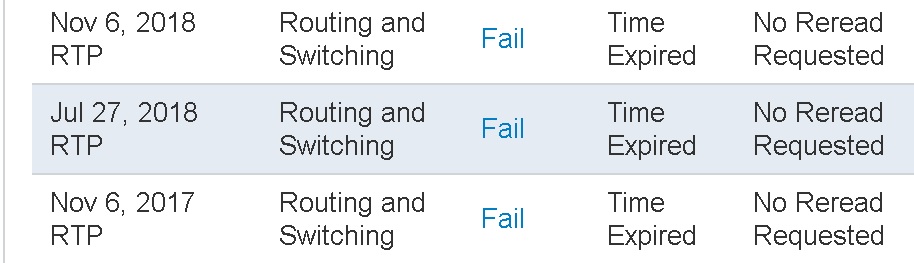
One important piece of advice I was given was to wear my CCIE on my sleeve – both successes and failures. Coming from a person that hates to fail, that was a tough pill to swallow as I would rather only have people know about my success – much more than my failures. That being said, it took me 3 attempts to pass the written exam which I finally passed in May of 2016. I took my 1st lab exam attempt in November of 2017, I failed miserably, passing only the diagnostic section, and walked out of RTP very humble and overwhelmed. None of the material on the exam was new – I had studied intensely from August until November, but what I found was not only knowing the technology more in-depth (particularly the protocols better) but that the stress, time aspect, and pressure I put on myself I had severely underestimated. My new timetable I have decided on is to attempt the lab again on July 30, 2018 and to give myself more time on each topic in order to understand each protocol. Who was I kidding that I could study/cram for 4 months and pass the CCIE lab? A resource that has helped immensely in re-formulating my game plan is the book “Your CCIE Lab Success Strategy – The Non-Technical Guide Book.” I HIGHLY recommend it!
That’s all for now – I’ll be updating this regularly (hopefully!) so please check back soon!
info (at) kyletorkelson (dot) com
 padawanccie